
Maximize Your Time
Take control of your schedule and make every minute count. Streamline bookings, automate tasks, and eliminate scheduling conflicts with a smart system designed to boost productivity and efficiency — so you can focus on what truly matters.
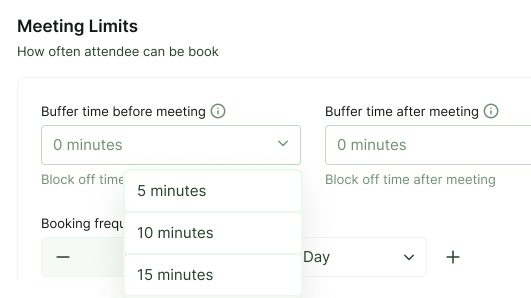
Smart Scheduling Controls
Optimize every meeting with advanced time management settings designed to improve productivity, prevent burnout, and eliminate scheduling conflicts. Our flexible controls give you complete authority over how and when bookings are made.
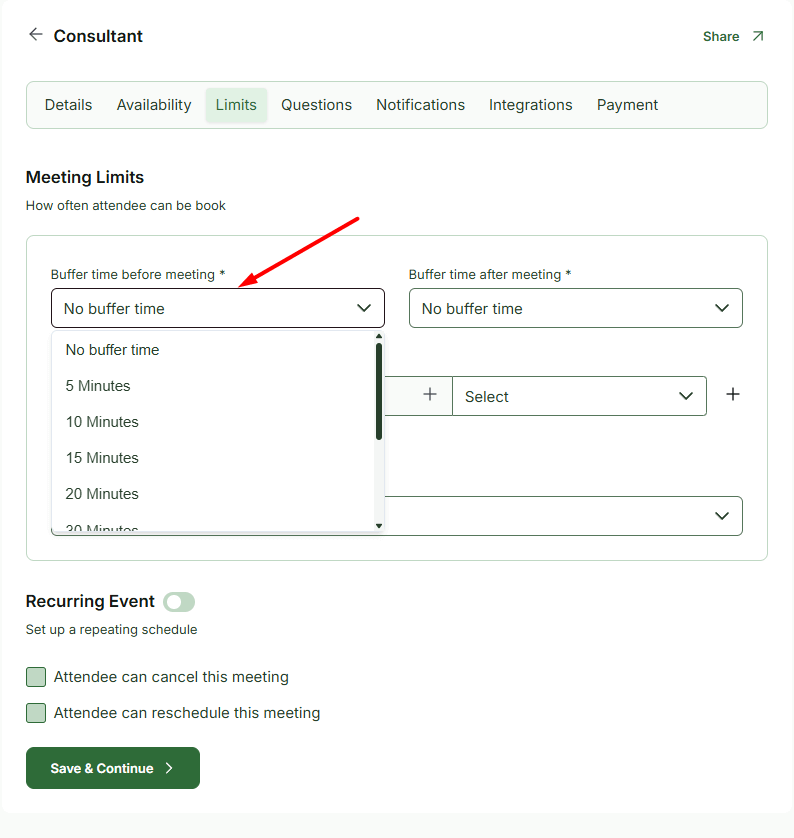
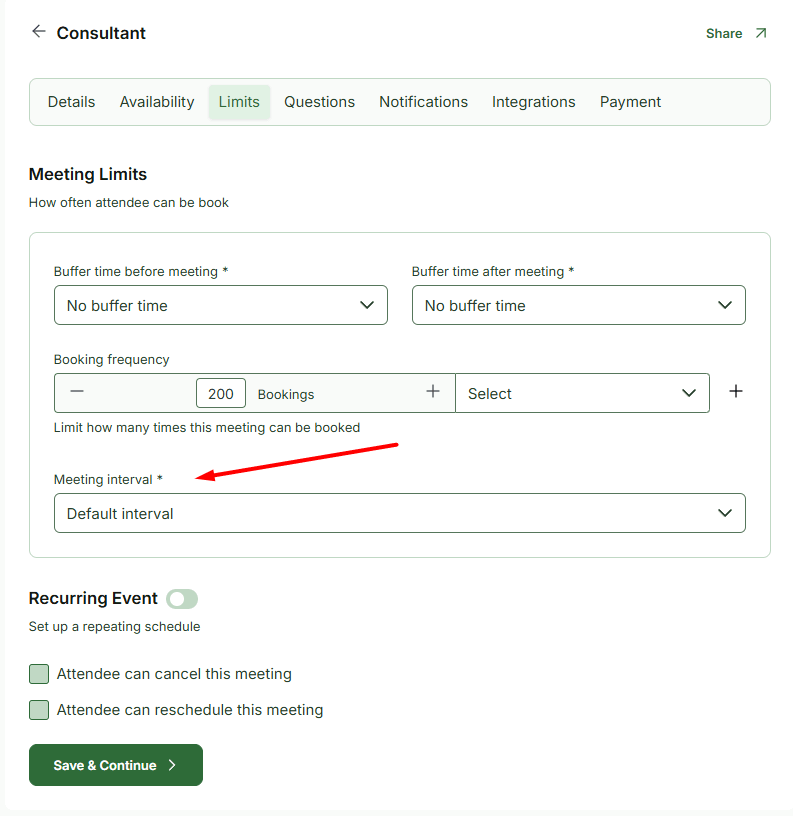
Buffer Time Before Meeting
Add a customizable gap before each meeting to give yourself preparation time. Whether you need a few minutes to review notes or reset between sessions, buffer time ensures you’re always ready.
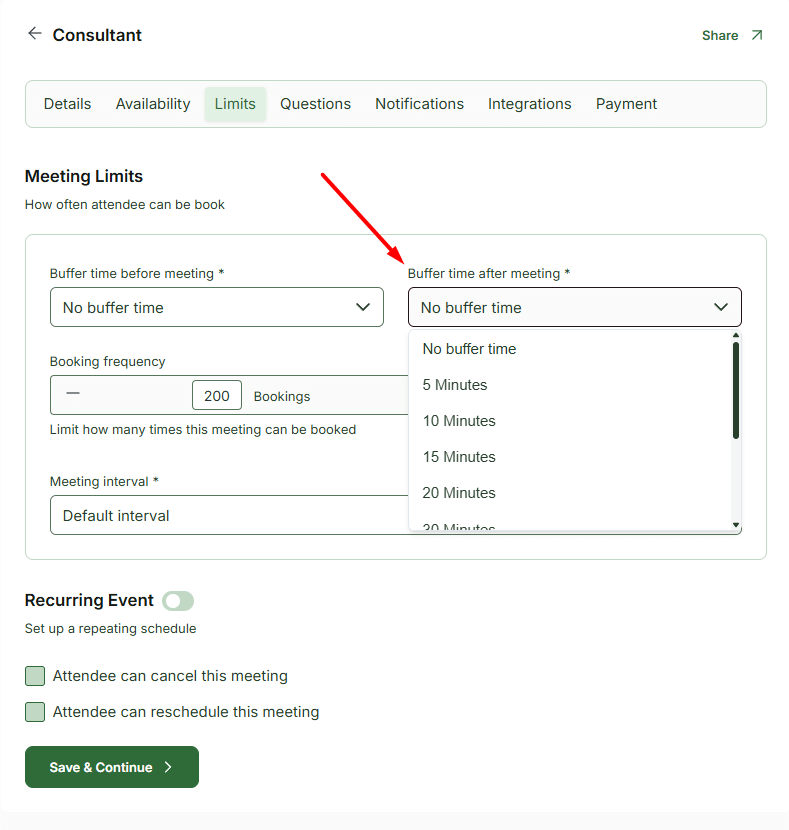
Buffer Time After Meeting
Prevent back-to-back burnout by automatically adding downtime after meetings. This allows time for follow-ups, documentation, or simply a short break before your next session.
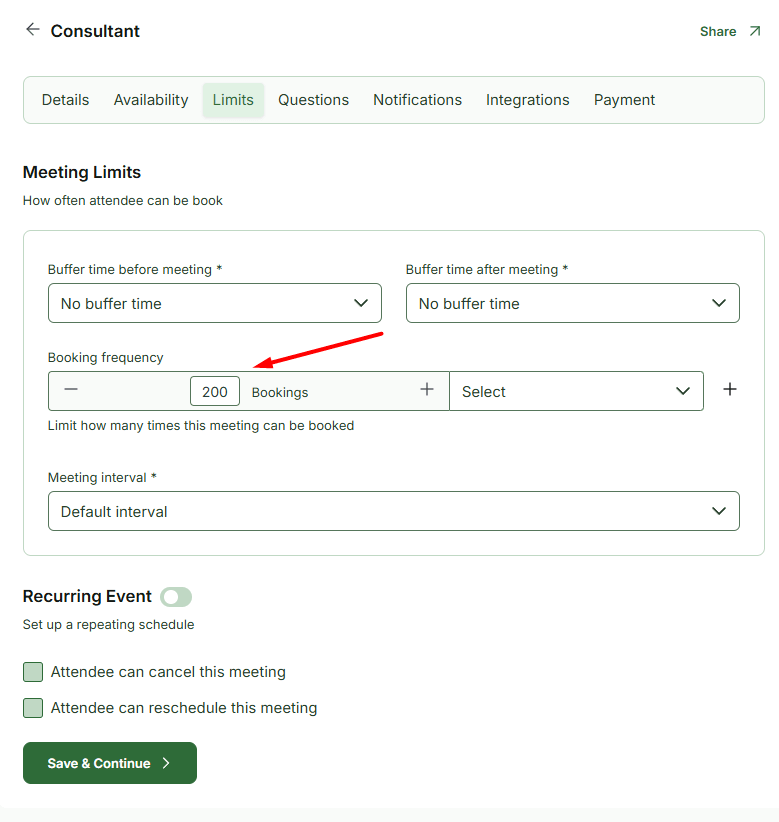
Booking Frequency
Control how often clients can book meetings within a specific time frame. Limit bookings per day, week, or month to maintain a balanced workload and avoid overbooking.
Meeting Interval
Define fixed time slots for meetings (e.g., every 15, 30, or 60 minutes). This keeps your schedule structured and ensures consistent availability throughout the day.
A quick look inside the backend editing panel.
Explore the backend editing panel to understand how powerful and intuitive the editing experience is.
Step by Step Guide
Work Smarter, Not Harder
Discover how to optimize your schedule, reduce manual work, and reclaim your time with smart, intuitive features.
Powered by Themefic’s Legacy of Excellence
Hydra Booking reflects the same commitment to quality that Themefic is known for, backed by the positive reviews our other plugins have earned.

Xavier C
Triptohelp.org
25 Aug, 24
‘I recently worked with the Themefic team for my WordPress needs and their Tourfic Pro plugin. Their commitment to customer satisfaction and excellence was evident from the start.’

Antonio martinez
@antoniomartimartinez
07 May, 25
‘HydraBooking is an amazing plugin! It’s easy to use, looks professional, and works perfectly for booking appoin-tments. I love how simple it is for clients to schedule a session, and it saves me a lot of time...’

Zoran Railic
@zoran.railic
19 Nov, 24
‘This is an excellent plugin that works flawlessly and offers plenty of customization options. I must also commend the support team for their quick response to my request...’

Melle meijer
@mellemeijer
24 Nov, 2023
‘Ultimate Addons for Contact Form 7 made our campaign form easy and user-friendly, adding features like dynamic dropdowns. Exactly what we needed—great plugin!’
Experience Next-Level Tools
Discover the powerful features that give you complete control and help you stay ahead of the game.
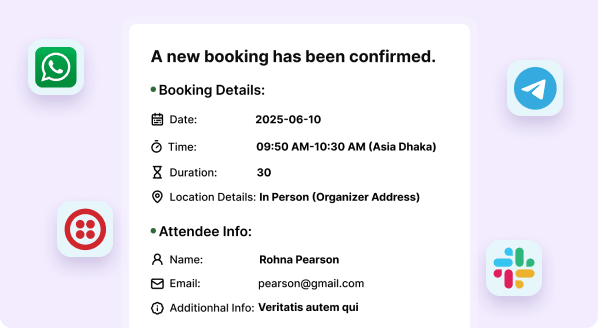
Stay notified, Anywhere Instantly
Get instant booking updates via WhatsApp, Twilio, Slack, or Telegram anytime, anywhere.
Frontend Dashboard
Let hosts and admins manage bookings directly from the frontend - no need to access the WordPress backend.

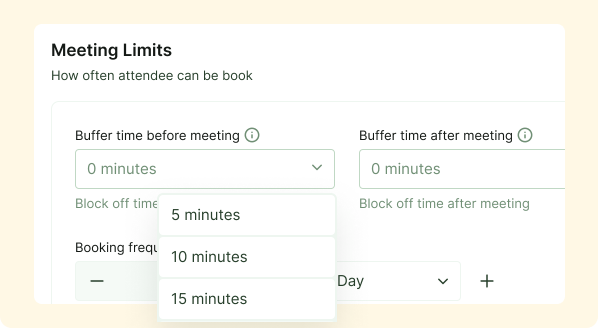
Maximize Your Time
Using Buffer time will automatically calculates your availability, keeping your schedule organized and stress-free
Premium Feature
Frequently Asked Questions
What is buffer time and why is it important?
Buffer time adds extra minutes before or after meetings to prevent scheduling conflicts and provide preparation or recovery time between sessions.
Can I customize buffer time for different meeting types?
Yes. You can set different buffer durations depending on the meeting type or event category.
How does booking frequency control work?
You can limit how many times someone can book within a specific period, helping you avoid overload and maintain work-life balance.
What does meeting interval mean?
Meeting interval determines how your available time slots are structured — for example, appointments can start every 15, 30, or 60 minutes.
