


Struggling to manage appointments manually or book a timeslot on your WordPress website? You’re not alone. In today’s fast-paced, digital-first world, online reservations have become a customer expectation rather than a bonus. 70% of people prefer booking appointments online when given the option.
The problem? WordPress doesn’t come with a built-in booking calendar or appointment scheduling tools.
If you’re a service provider, coach, consultant, or run a business that depends on bookings, trying to organize everything through emails or phone calls can lead to scheduling conflicts, missed opportunities, and frustrated clients.
The solution is simple: integrate a robust WordPress time slot booking system that allows users to book a timeslot directly through your site: no emails, no back-and-forth, and no coding required.
In this guide, we’ll walk you through how to book a time slot in WordPress, explain why it matters, and show you how to set up an efficient, user-friendly WordPress appointment step by step.
Why Offering Time Slot Booking on Your Website Matters
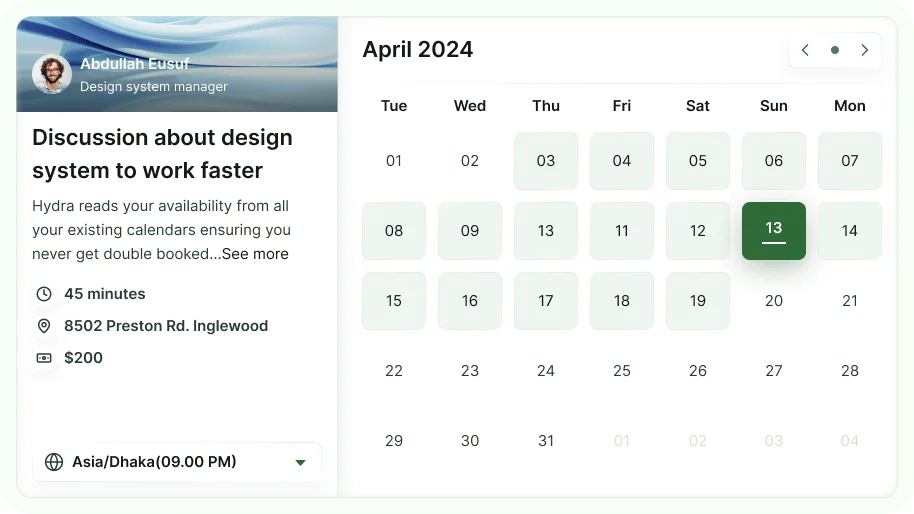
If you’re wondering why you should let users book a timeslot directly through your website, the answer is simple: it’s no longer optional but expected.
Implementing a WordPress time slot booking solution improves efficiency, builds trust, enhances customer satisfaction, and drives measurable business results.
Builds Trust and Credibility with Your Audience
Modern consumers expect self-service options. When your site offers a clear, user-friendly appointment scheduling WordPress interface, it immediately signals professionalism and reliability.
94% of people say a business with a modern online booking system feels more trustworthy and organized.
Reduces Manual Work and Scheduling Errors
Manual scheduling via phone or email invites human error such as missed appointments, double-bookings, or miscommunications.
A digital time slot availability automates the process, eliminating these risks entirely and saving hours each week.
Enhances Customer Experience and Satisfaction
Letting users book appointments online in WordPress gives them control and flexibility.
They can view real-time availability and select a convenient time: all within a few clicks resulting in a smoother, more personalized customer journey.
Increases Conversion and Engagement Rates
When users can schedule services immediately without friction, they’re far more likely to complete the booking.
Businesses that enable online reservations WordPress systems report up to 30% higher conversion rates.
Adding a timeslot in WordPress tool that supports a seamless booking calendar makes your workflow easier and actively contributes to revenue growth and better customer retention.
Industries That Benefit from Online Booking Systems
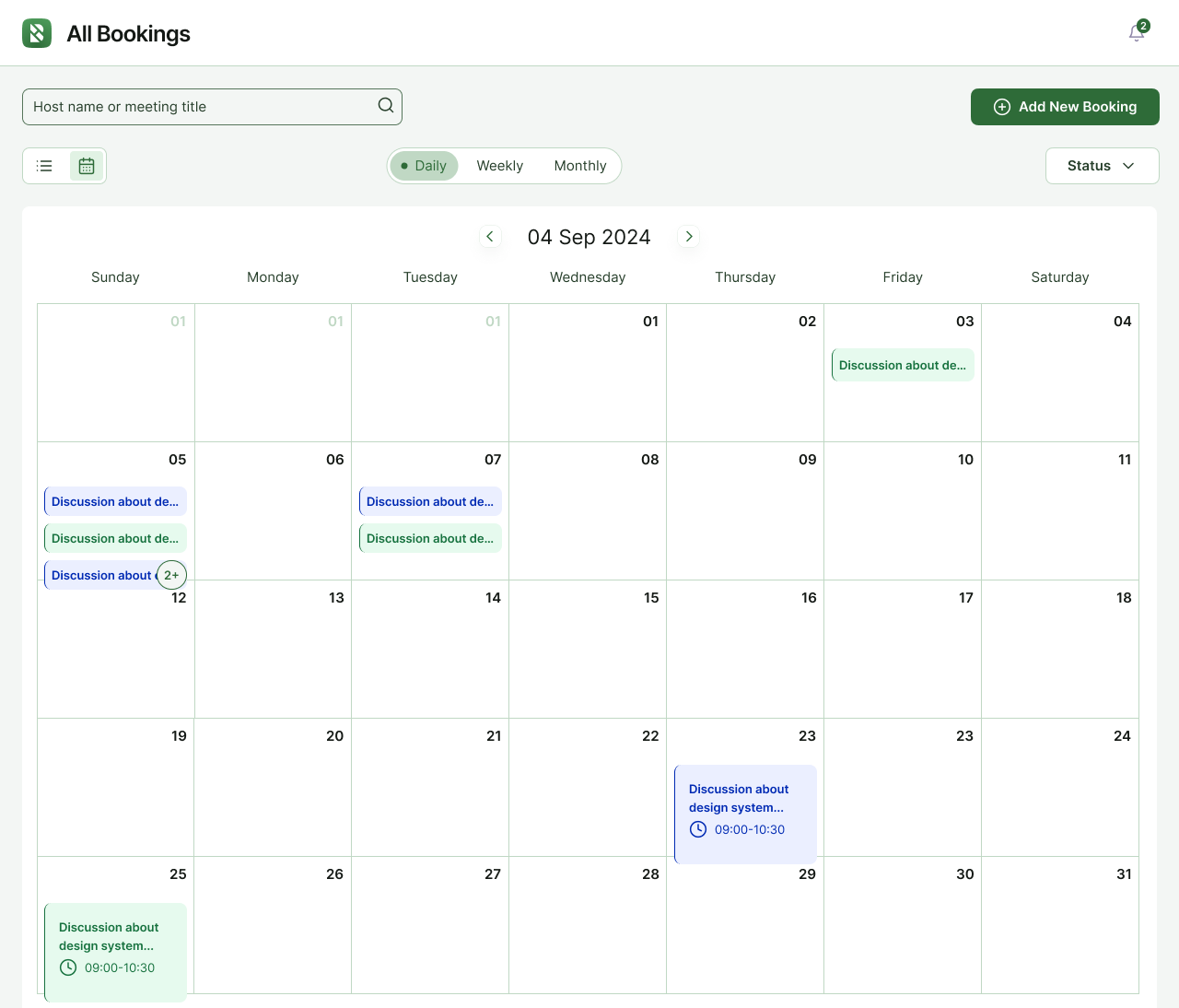
Integrating a WordPress time slot booking system isn’t limited to one type of business: it provides value across a wide range of industries.
With the right WordPress booking plugin, professionals can simplify client scheduling, automate workflows, and increase efficiency without technical overhead.
Here’s how different sectors benefit from letting users book a timeslot directly from their website:
Healthcare Professionals (Doctors, Clinics)
Online appointment scheduling is crucial for modern medical practices.
It reduces phone traffic, automates reminders, and helps patients find slots that fit their schedules.
67% of patients prefer booking healthcare appointments online.
Coaches and Consultants
Whether you’re offering one-on-one sessions or group coaching, using a WordPress appointment plugin allows you to eliminate scheduling conflicts and ensure clients can view your real-time availability.
40% of coaching businesses that adopt online scheduling report higher client retention rates.
Spas and Salons
In the beauty industry, walk-ins are decreasing, and clients prefer booking specific services with their preferred stylist or therapist in advance.
A WordPress scheduling plugin for services ensures seamless management of appointments, resources, and personnel.
Tutors and Educational Services
Tutors can create a time-based booking system WordPress setup where students book lessons based on availability and subject. It removes the back-and-forth of email coordination, helping educators stay focused on teaching.
Freelancers and Agencies
From discovery calls to project reviews, freelancers can set up a booking calendar WordPress system to schedule client meetings, track leads, and offer multiple service options—all from one platform.
Repair and Maintenance Services
Plumbers, electricians, and other service providers can greatly reduce missed appointments and manual follow-ups by offering online reservations WordPress systems with real-time availability.
Event Organizers
Managing time slots for consultations, vendor meetings, or venue visits becomes significantly easier when you create a time slot booking system WordPress-wide. It also helps with capacity planning and event logistics.
Regardless of industry, using a reliable service booking plugin WordPress solution helps streamline operations, reduce no-shows, and improve client satisfaction.
How to Book a Timeslot in WordPress Using HydraBooking (Step-by-Step)
There are many tools available to create a time slot booking system in WordPress, but HydraBooking stands out for its simplicity, performance, and deep compatibility with WordPress. Built specifically for appointment management, it offers features like:
- Seamless integration with the WordPress admin
- Clean, user-friendly UI for both admins and clients
- Multiple calendar views (Day, Week, Month, List)
- Time zone support and automated client notifications
- Status tracking for all bookings
- Easy CSV export for reporting
- Fully functional without any coding
- Designed for service-based professionals
Below is a detailed guide on how to book a timeslot in WordPress using Hydra Booking.
Step 1: Viewing Bookings
To begin managing or scheduling appointments, navigate to the Bookings section in your WordPress dashboard after installing Hydra Booking.
You’ll see two primary view options:
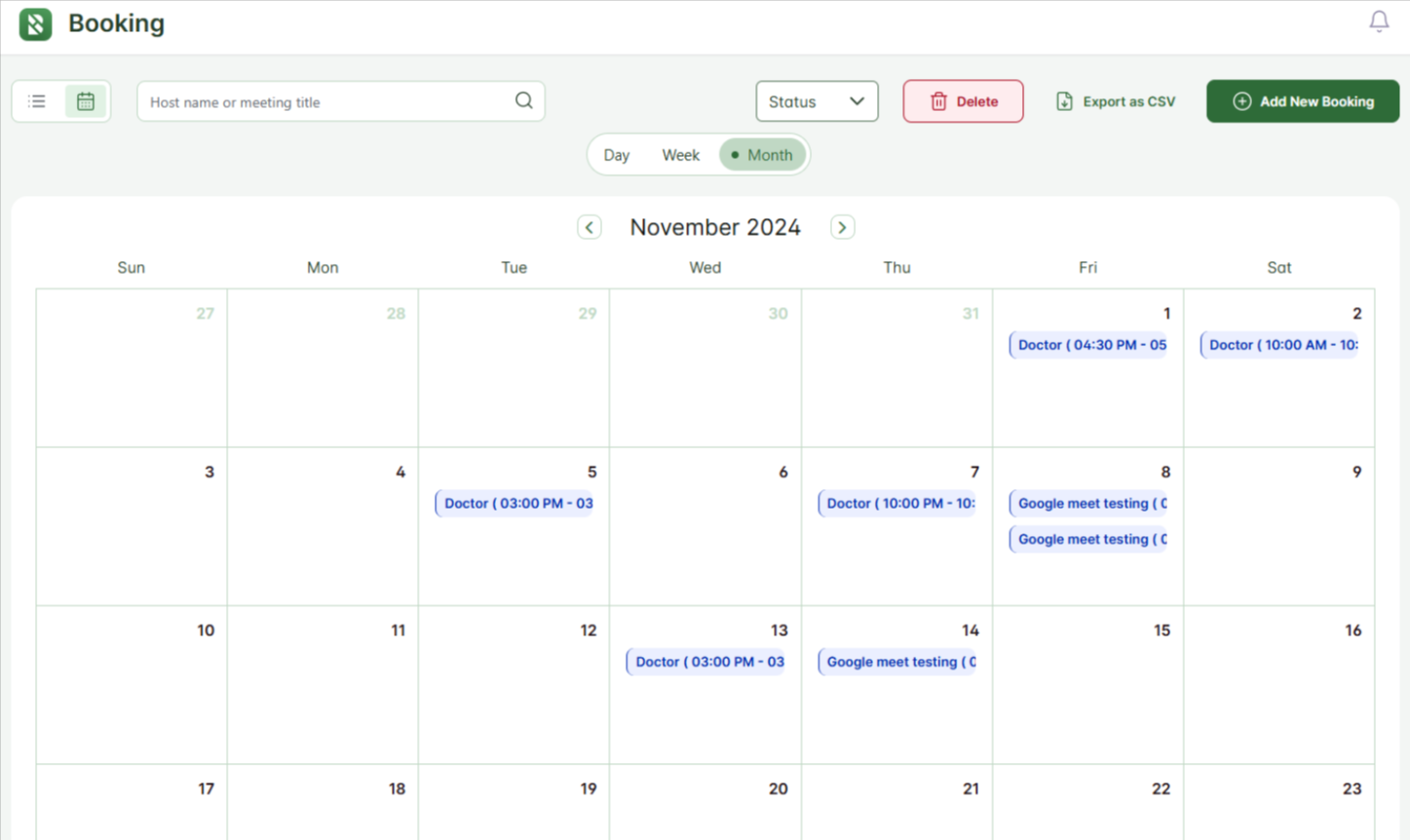
- Calendar View: Offers flexible formats—Day, Week, and Month—ideal for visualizing bookings over time and identifying availability.
- List View: Displays a chronological list of bookings, including key information like date, title, status, and host—perfect for quick scanning.
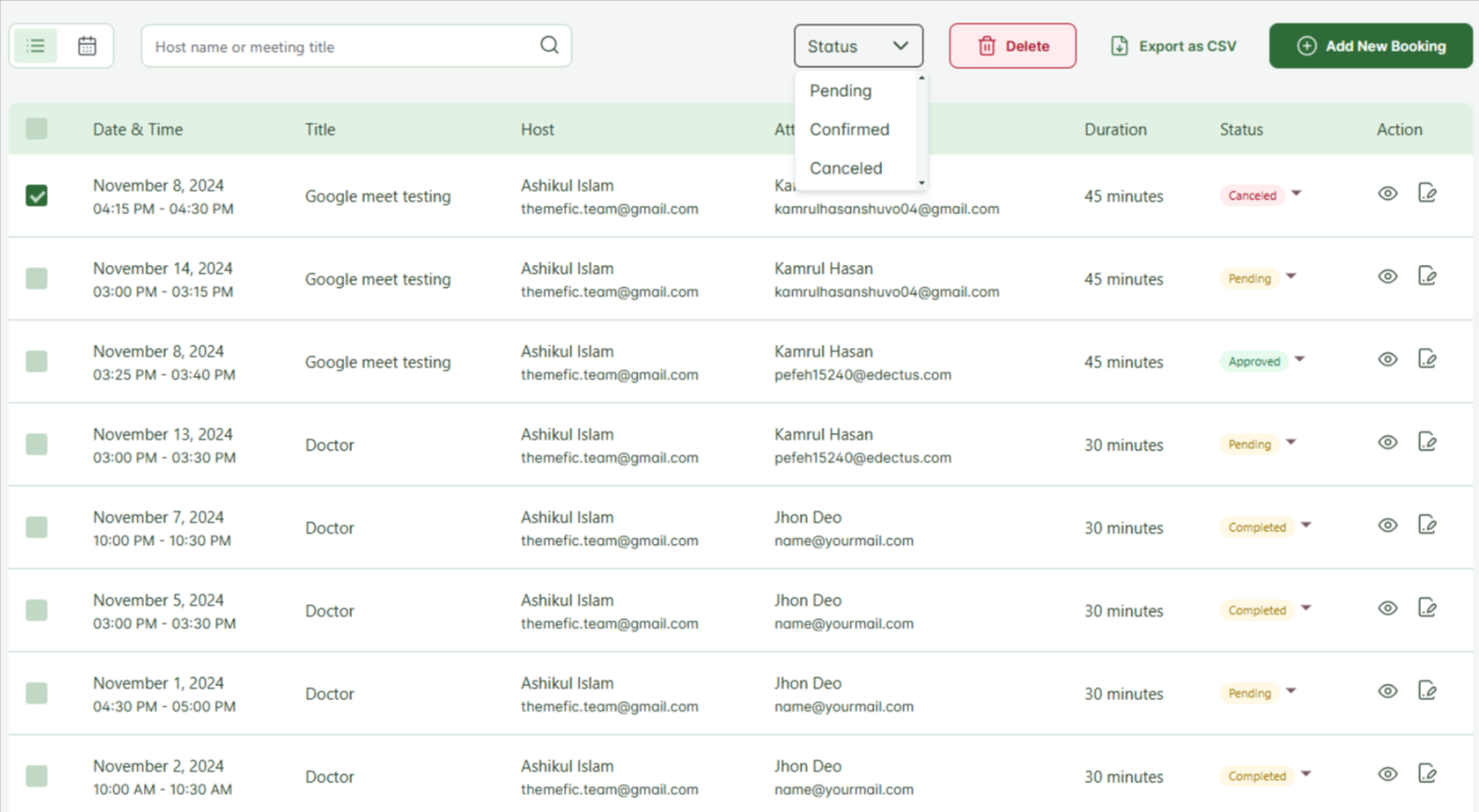
This visual flexibility makes Hydra an ideal WordPress scheduling plugin for services that need a fast, clear way to manage appointments.
Step 2: Viewing Booking Details
Click on any booking from the calendar or list view to see its details. Each booking displays important information, including:
- Date & Time
- Title of the Meeting
- Host
- Attendee Name
- Duration
- Current Status (e.g., Confirmed, Pending)
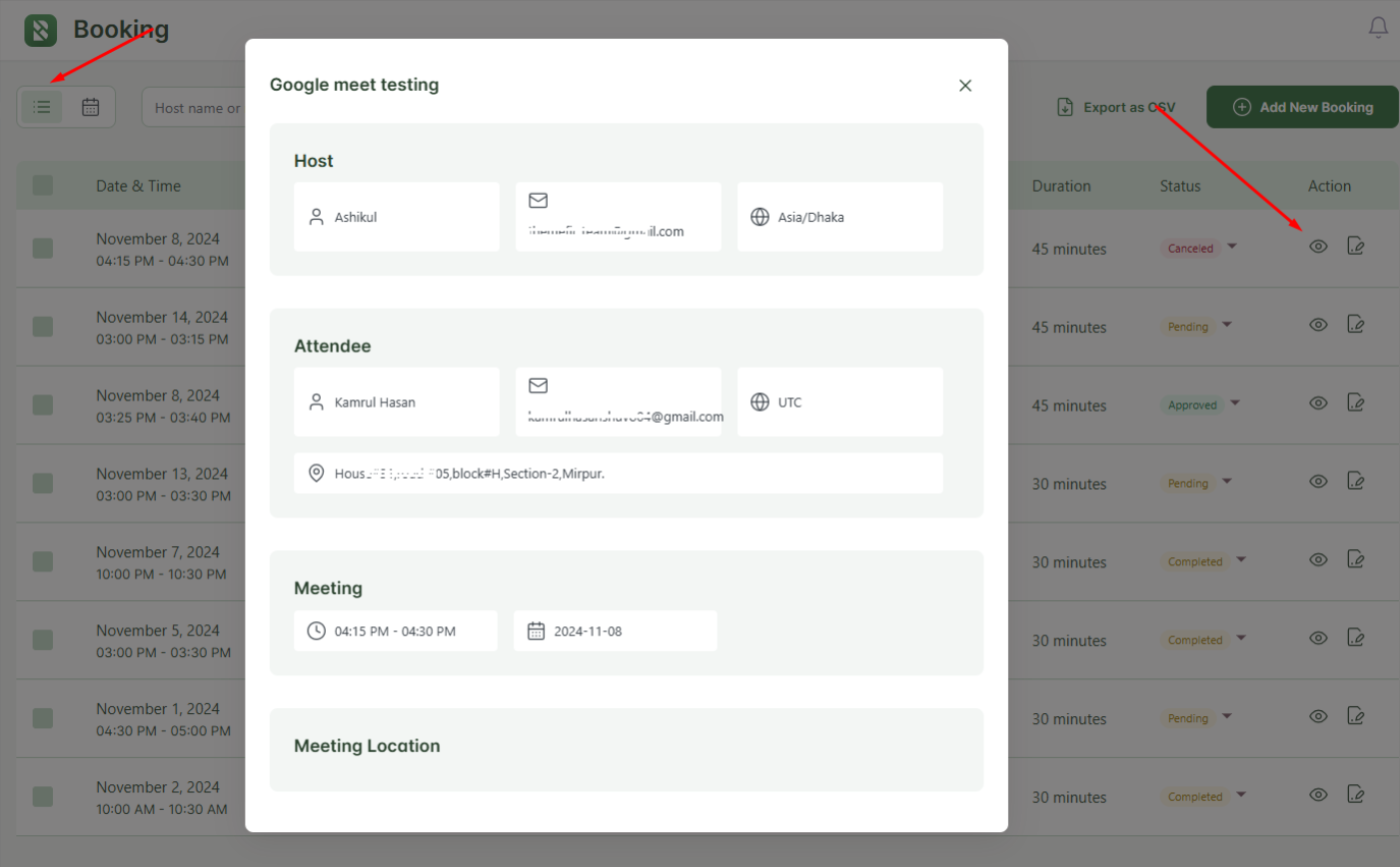
This structure makes it easy to manage appointments at a glance, particularly for businesses using a WordPress time-based booking system where fast access to details is essential.
Step 3: Exporting Booking Data
Hydra Booking includes a built-in CSV export feature—ideal for agencies, freelancers, or service teams that want offline backups or reporting.
- Navigate to the bookings list or calendar view
- Click Export as CSV
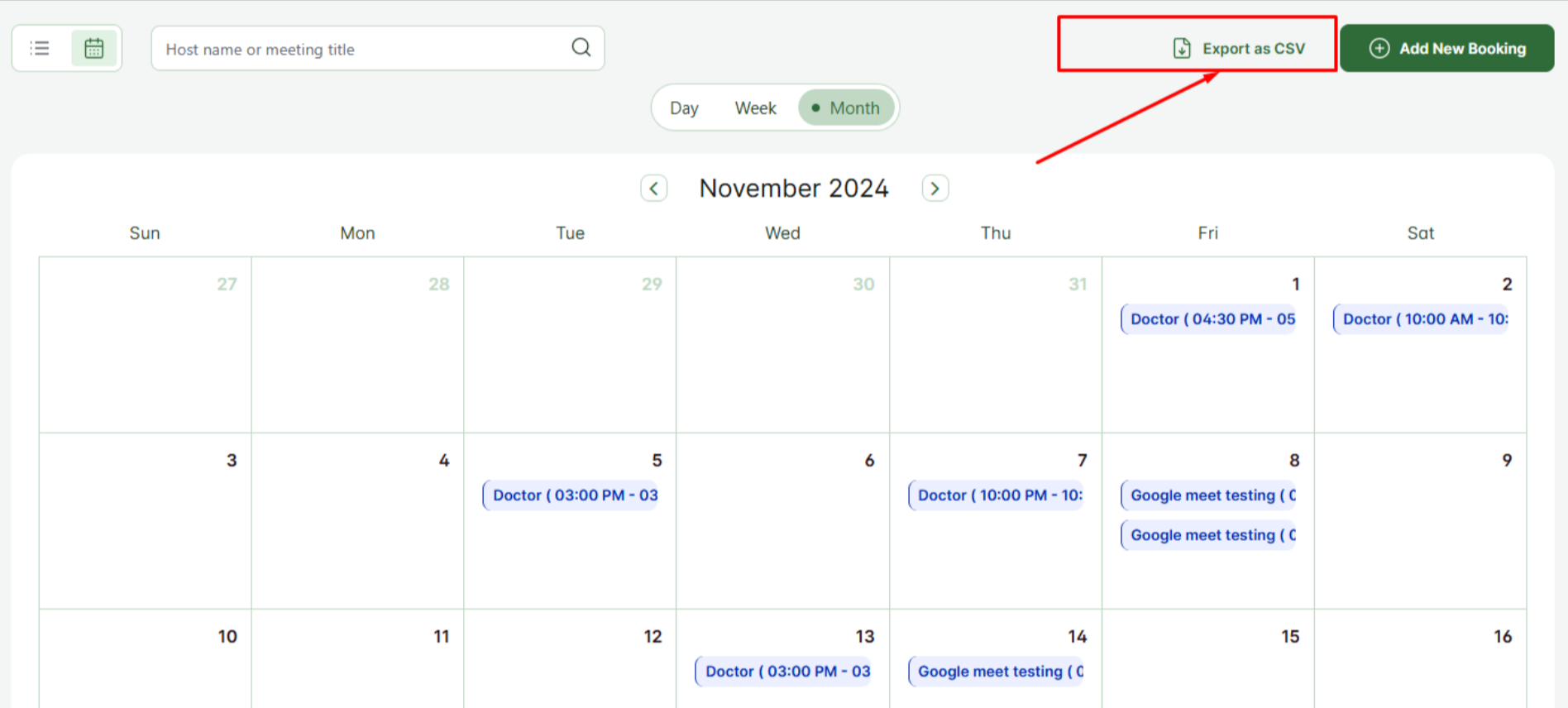
- Your file will include all key booking data—dates, titles, attendees, and statuses
Whether you’re tracking client meetings or analyzing trends, this export tool simplifies admin work in your booking system WordPress setup.
Step 4: Adding a New Booking
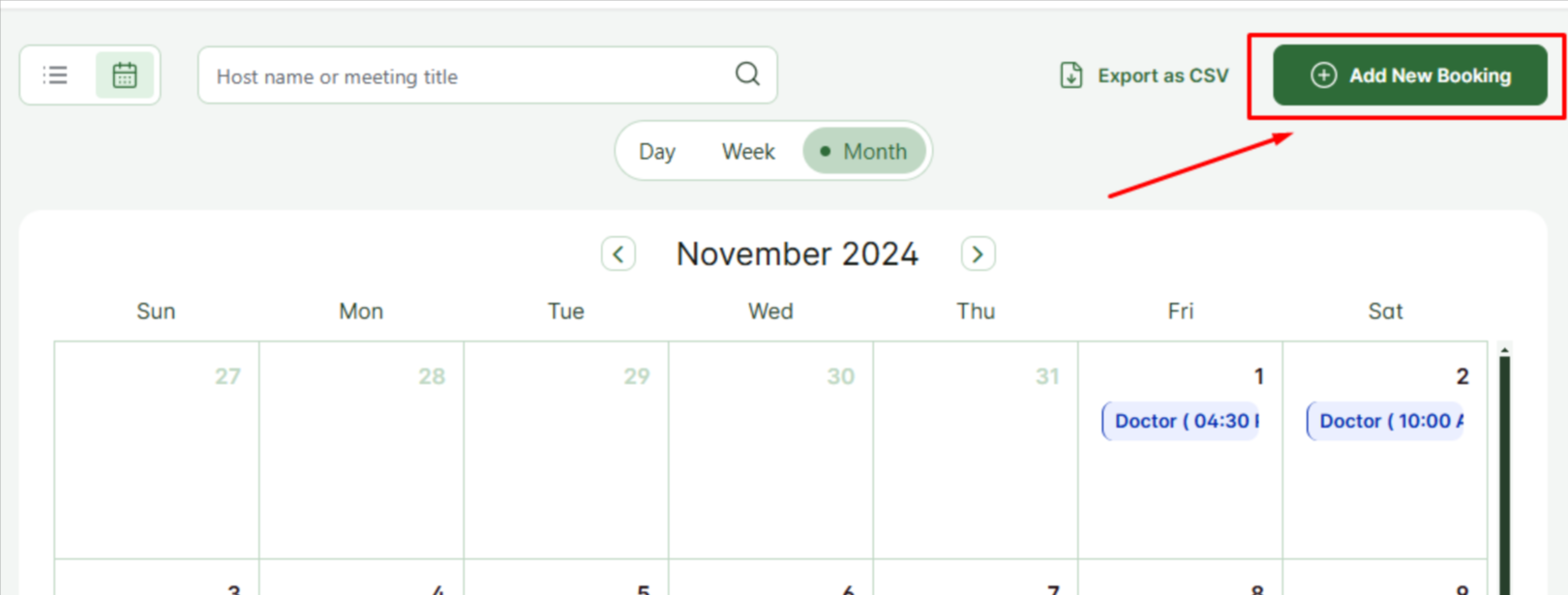
Hydra Booking also allows manual bookings, which is useful for phone reservations or internal scheduling. To add a booking:
- Click “Add New Booking”
- Fill in the required form fields:
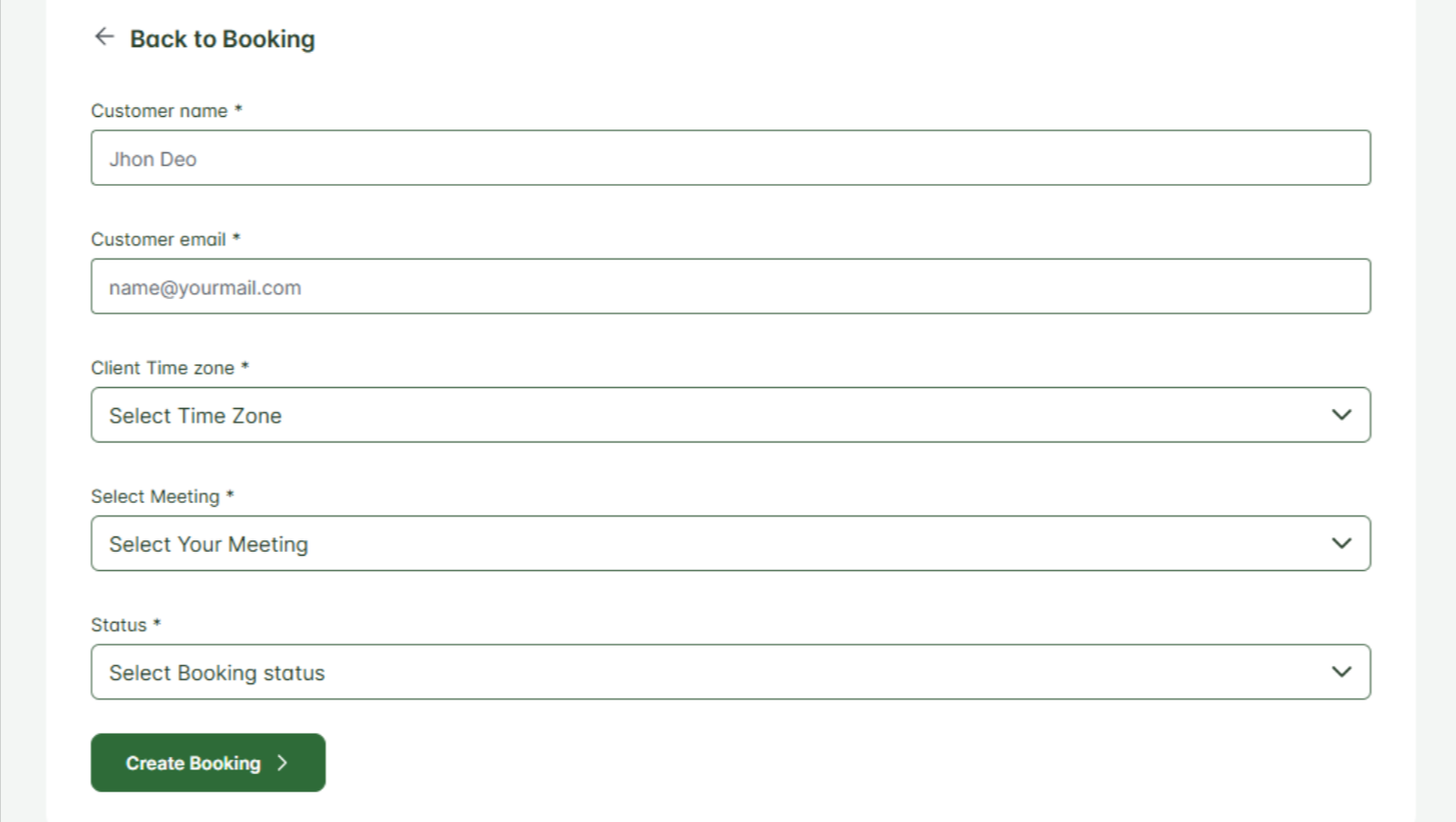
- Customer Name – e.g., John Doe
- Customer Email – e.g., john@example.com
- Client Time Zone – ensures accuracy for virtual bookings
- Select Meeting Type – options include consultations, demos, training, and more
- Status – choose between Pending, Confirmed, Rescheduled, or Canceled
- Click Create Booking to complete the booking. The client will receive notifications if configured.

This simple process allows you to book appointments online in WordPress without requiring any technical skills or external tools ideal for small businesses or solo professionals looking for a WordPress booking plugin without coding.
Tips to Optimize Your Booking Workflow with Hydra Booking
Once you’ve set up your WordPress time slot booking system with Hydra Booking, the next step is to optimize it for efficiency and performance.
Whether you’re a freelancer or part of a larger team, these practical tips will help you streamline your operations, enhance user experience, and get the most out of your WordPress appointment plugin.
Enable Email Notifications for Confirmations
Timely notifications help reduce no-shows and keep clients informed.
Hydra Booking allows you to set up automated email confirmations for each new booking.
80% of customers say receiving timely updates is crucial for a positive service experience.
Use Custom Categories for Different Service Types
Organize your services by defining categories such as consultations, demos, or sessions. This simplifies appointment scheduling for both you and your clients and supports a cleaner booking interface.
Using clear categories can reduce booking errors by up to 50%, based on internal data from service-based businesses using booking system WordPress solutions.
Integrate with External Calendar Tools (e.g., Google Calendar)
Syncing with tools like Google Calendar helps avoid double-bookings and keeps your availability consistent across platforms. This is especially useful if you’re managing multiple calendars outside of WordPress.
Regularly Export and Analyze Booking Data
Use Hydra Booking’s CSV export feature to track booking trends, customer preferences, or no-show rates. Regular data analysis helps you make better decisions around staffing, service offerings, and marketing.
For example, exporting booking data can help spot peak traffic hours, allowing you to optimize availability accordingly.
Assign Different Team Members to Manage Appointments
If you’re part of a team, delegate booking management to specific roles.
Hydra Booking allows each appointment to have a designated host, which helps streamline internal communication and accountability.
Teams with clearly assigned appointment managers report 35% higher scheduling efficiency.
These simple enhancements ensure your WordPress scheduling plugin for services performs optimally to drive growth and customer satisfaction
Frequently Asked Questions (FAQs)
Can I book multiple time slots at once in Hydra Booking?
Currently, Hydra Booking focuses on one booking per slot to ensure clarity and prevent overlap. However, you can easily create recurring or back-to-back bookings manually. This helps maintain a structured WordPress time-based booking system.
Does Hydra Booking support different time zones?
Yes. Hydra Booking allows clients to select their local time zone when booking. This ensures all appointment times are synchronized properly, which is essential for virtual services and international clients.
Is Hydra Booking compatible with WooCommerce?
While Hydra Booking functions independently from WooCommerce, it focuses specifically on appointment scheduling WordPress features rather than product sales.
Can I receive notifications for each booking?
Absolutely. You can enable automated email notifications to be sent to both the admin and the client for every booking, update, or cancellation.
Can clients cancel or reschedule their appointments?
This depends on your configuration. Admins can manually update a booking’s status to Rescheduled or Canceled, and you can notify clients accordingly. For more flexible workflows, this feature supports an effective online reservations WordPress process.
Conclusion
Offering the ability to book a timeslot directly on your website is no longer optional but essential. A WordPress time slot booking system builds trust, reduces scheduling friction, and enhances your overall service delivery.
With Hydra Booking, setting up a professional appointment scheduling WordPress system is effortless: no coding, no complications. From intuitive calendar views to automated email notifications and time zone support, every feature is built to simplify the process for both you and your clients.
If you’re ready to take control of your availability, reduce manual coordination, and improve your customer experience, Hydra Booking is the solution you’ve been looking for.
Download Hydra Booking and start accepting bookings in minutes—no technical experience required.

 March 20, 2025