
Collect the Right Information Before Every Meeting
Gather important details from attendees before the meeting starts. Create custom questions or use existing forms to better understand your participants, prepare effectively, and deliver a more personalized experience.
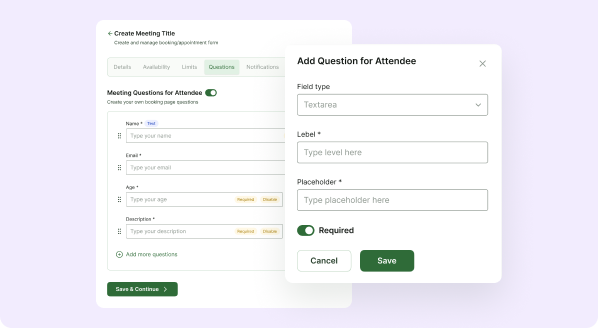
Flexible Attendee Question Management
Customize how you collect information from attendees to ensure every meeting runs smoothly. Whether you need simple details or detailed responses, our system gives you full control over your pre-meeting forms.
Create Custom Forms
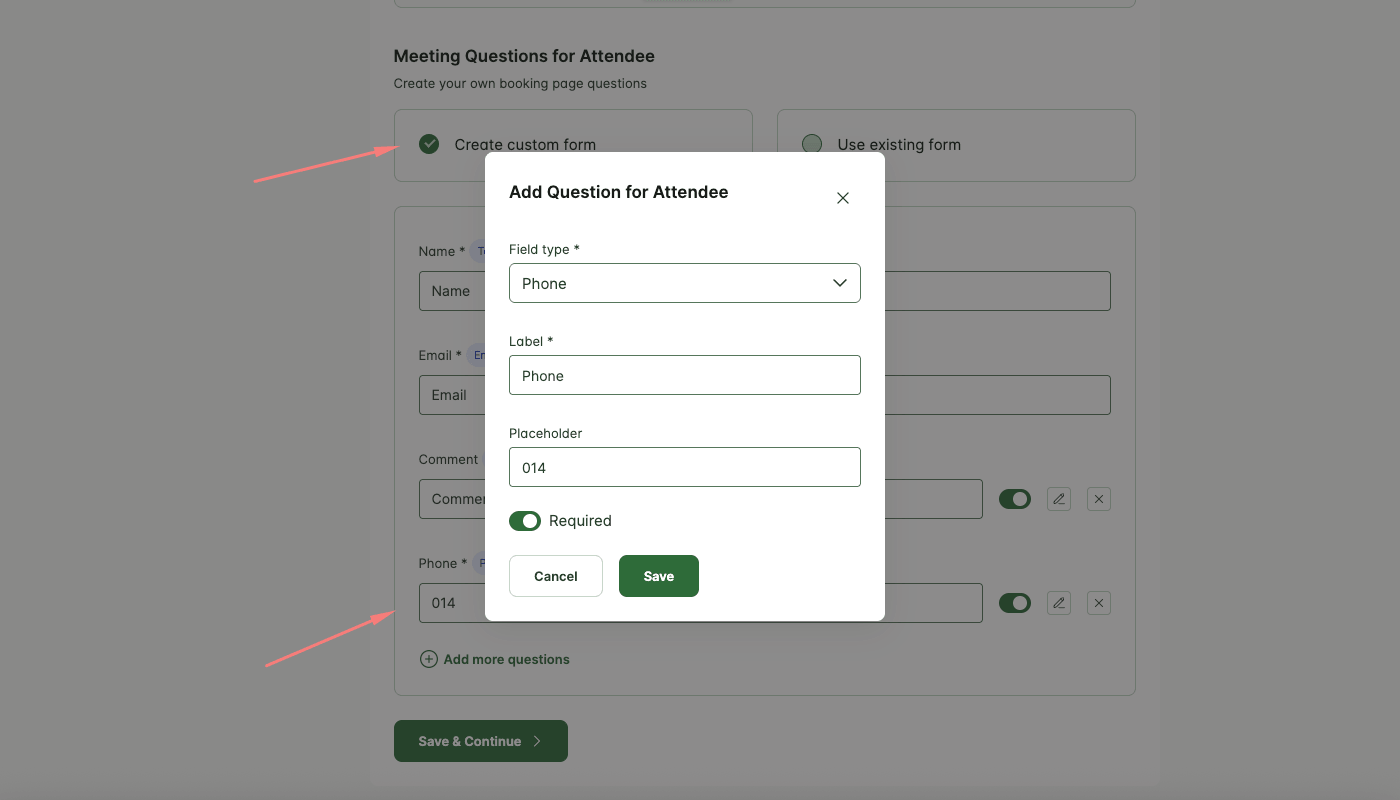
Build fully customized forms directly within Hydra Booking. Add fields like text, email, textarea, dropdowns, and required inputs to collect exactly the information you need.
Use Existing Forms
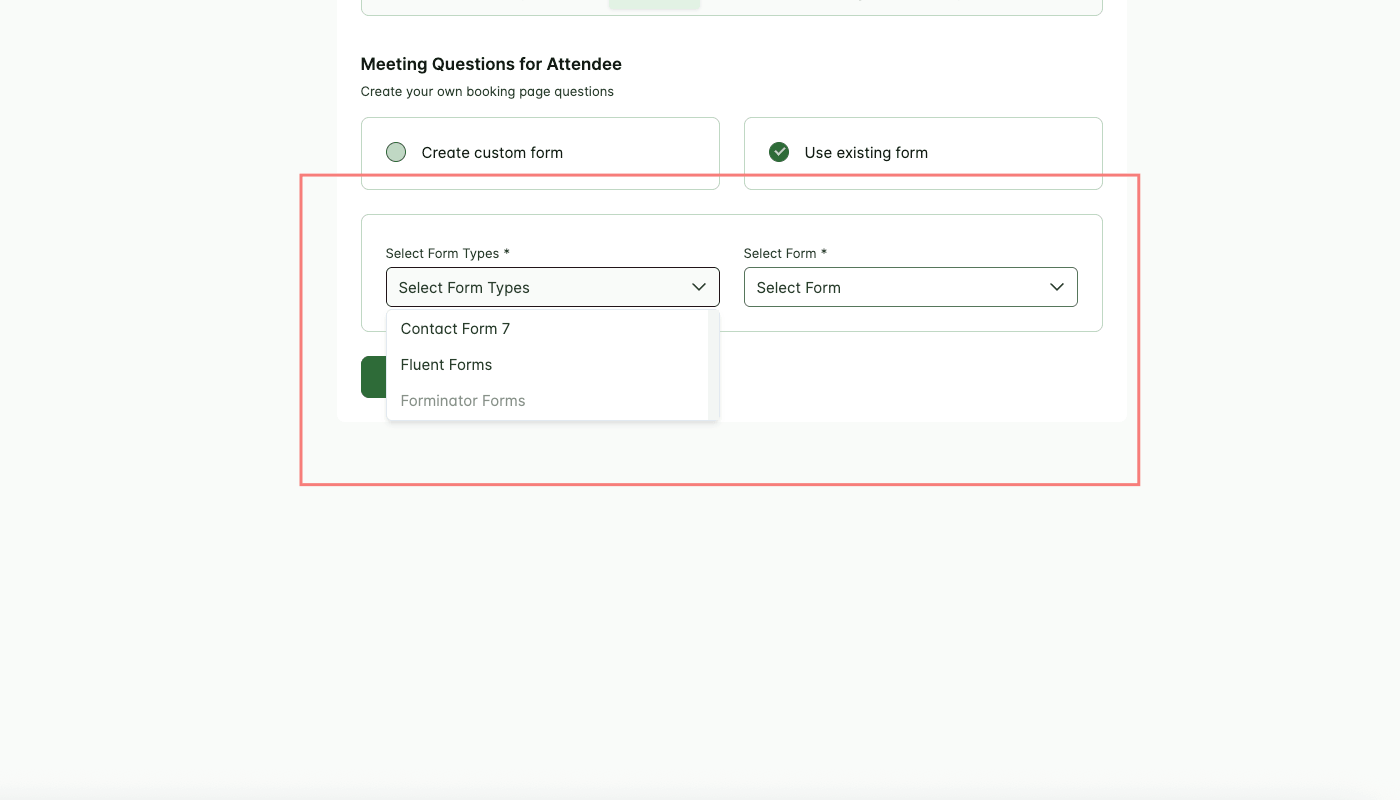
Reuse previously created forms to save time and maintain consistency across multiple meeting types. Quickly apply standard questionnaires without rebuilding from scratch.
Integration with Popular Form Builders
Connect with popular form plugins like Contact Form 7, Forminator, and Fluent Forms. Use your existing advanced forms seamlessly within the booking flow for greater flexibility and functionality.
Add Unlimited Questions
Easily add more questions to your forms anytime. Expand your data collection as needed to match different meeting requirements and workflows.
A quick look inside the backend editing panel.
Explore the backend editing panel to understand how powerful and intuitive the editing experience is.
Step by Step Guide
Know Your Attendees Before the Meeting
Set up tailored questions for each booking. Get insights upfront so you can make every meeting focused, relevant, and efficient.
Powered by Themefic’s Legacy of Excellence
Hydra Booking reflects the same commitment to quality that Themefic is known for, backed by the positive reviews our other plugins have earned.

Xavier C
Triptohelp.org
25 Aug, 24
‘I recently worked with the Themefic team for my WordPress needs and their Tourfic Pro plugin. Their commitment to customer satisfaction and excellence was evident from the start.’

Antonio martinez
@antoniomartimartinez
07 May, 25
‘HydraBooking is an amazing plugin! It’s easy to use, looks professional, and works perfectly for booking appoin-tments. I love how simple it is for clients to schedule a session, and it saves me a lot of time...’

Zoran Railic
@zoran.railic
19 Nov, 24
‘This is an excellent plugin that works flawlessly and offers plenty of customization options. I must also commend the support team for their quick response to my request...’

Melle meijer
@mellemeijer
24 Nov, 2023
‘Ultimate Addons for Contact Form 7 made our campaign form easy and user-friendly, adding features like dynamic dropdowns. Exactly what we needed—great plugin!’
Experience Next-Level Tools
Discover the powerful features that give you complete control and help you stay ahead of the game.
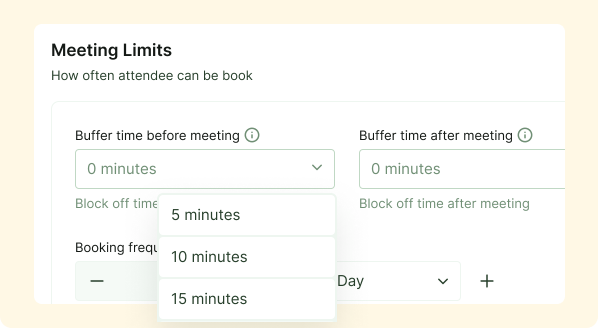
Maximize Your Time
Using Buffer time will automatically calculates your availability, keeping your schedule organized and stress-free
Premium Feature
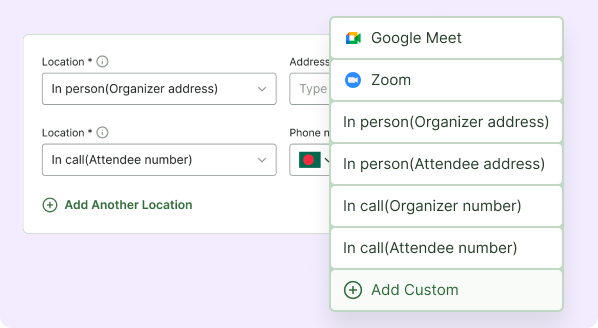
Meeting Locations
Supports in-person, online (Google Meet, Zoom), and phone-based meetings with options for custom and multiple locations.
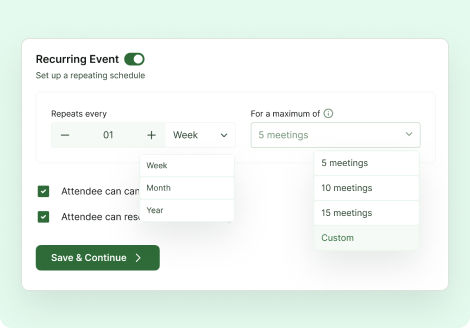
Recurring events
Make recurring appointments easy for your clients with HydraBooking’s Recurring Event feature
Premium Feature
Frequently Asked Questions
Why should I collect information before a meeting?
Pre-meeting questions help you understand attendee needs, prepare relevant materials, and make meetings more productive.
Can I make certain fields mandatory?
Yes. You can mark specific questions as required to ensure essential information is always collected.
Can I use different forms for different meeting types?
Absolutely. Each meeting type can have its own custom form or use a selected existing form.
Can I edit a form after creating it?
Yes. You can modify form fields, update questions, or adjust requirements at any time.
Will attendees receive confirmation after submitting the form?
Yes. Once the form is submitted, the booking process continues and confirmation notifications are sent based on your settings.
